CoreA11y Reader: read any website your way
Make text bigger and clearer, choose your own colours, have the page read aloud, and move around it faster with the keyboard. CoreA11y Reader changes how pages look and sound for you, on your own device.
- Free
- No account
- No ads
- No tracking
- No AI
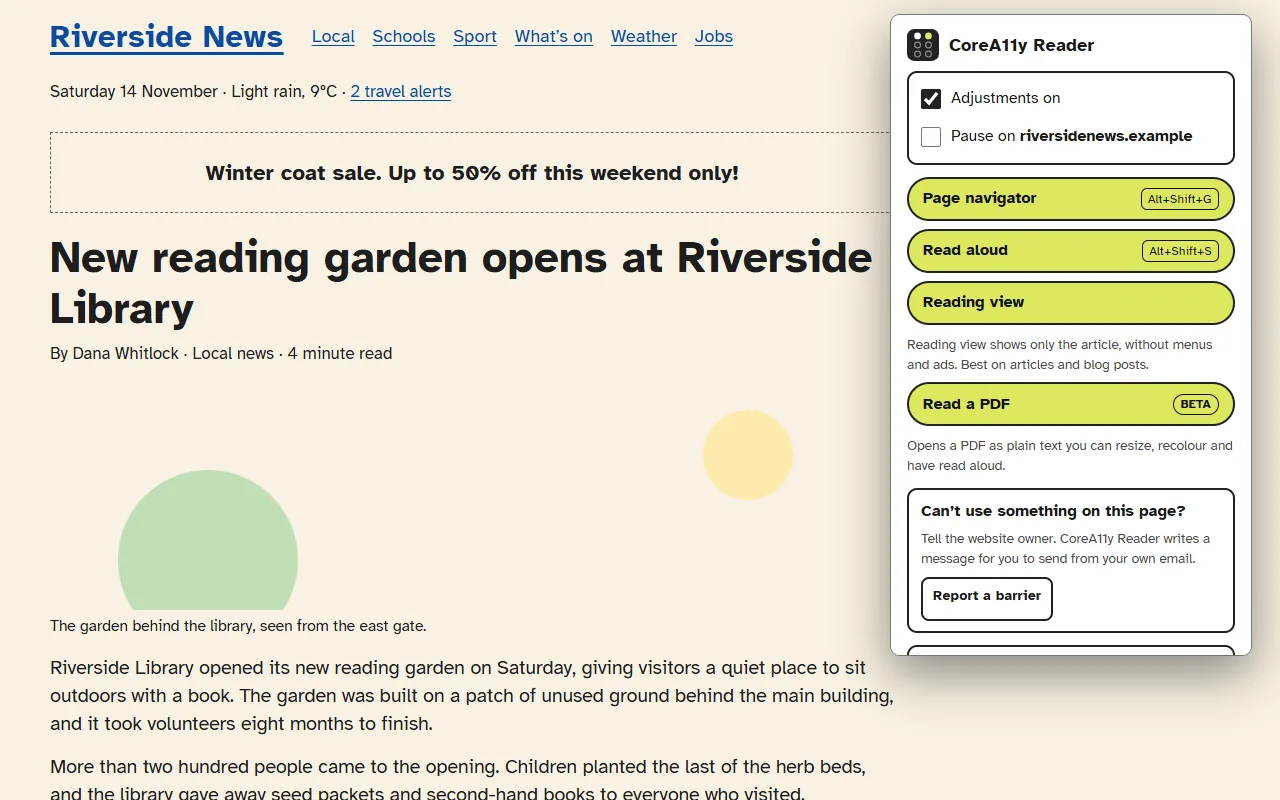
What you can do
For anyone who finds web pages hard to read or tiring to use: people with low vision, dyslexia or attention difficulties, older readers, keyboard users, and anyone who wants a calmer page.
Change how pages look
- Text size up to 200%
- An easy-to-read font (Atkinson Hyperlegible)
- Wider line and letter spacing
- High contrast dark, high contrast light, or soft cream colours
- Line focus, which dims everything except the lines you are reading
- Stop animations, bigger buttons, underlined links
Have it read to you
- Read aloud with your browser’s own voices
- The word and paragraph being read are highlighted
- Back, Pause, Next, speed and Stop
- Select text to hear only that part
- It never starts by itself
Get around faster
- A page navigator lists headings, page areas, links, buttons and form fields, with a filter box
- Jump to the next or previous heading or page area
- A yellow box shows where you landed, with its name
Reading view
Shows only the article, without menus, ads and sidebars, in your own text size and colours. It works best on news stories and blog posts.
Read PDFs your way Beta
Opens a PDF as a plain text page, so your text size, colours, line focus and read aloud all work on it. Text only for now: no pictures or table layout, and scanned PDFs cannot be read.
Tell the website owner
“Report a barrier” writes a short, polite message about something you could not use. You send it yourself, from your own email.
See it in use
These pictures use a made-up news site.
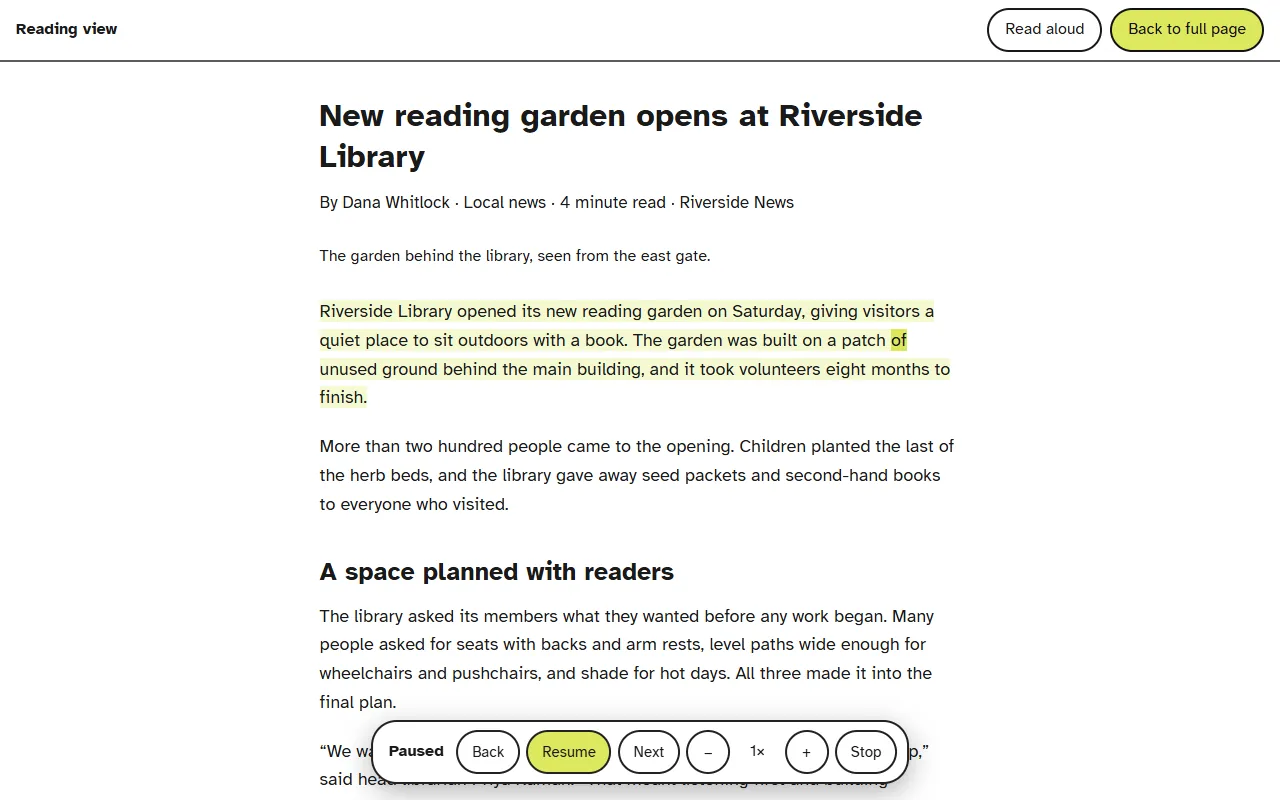
Reading view, with read aloud 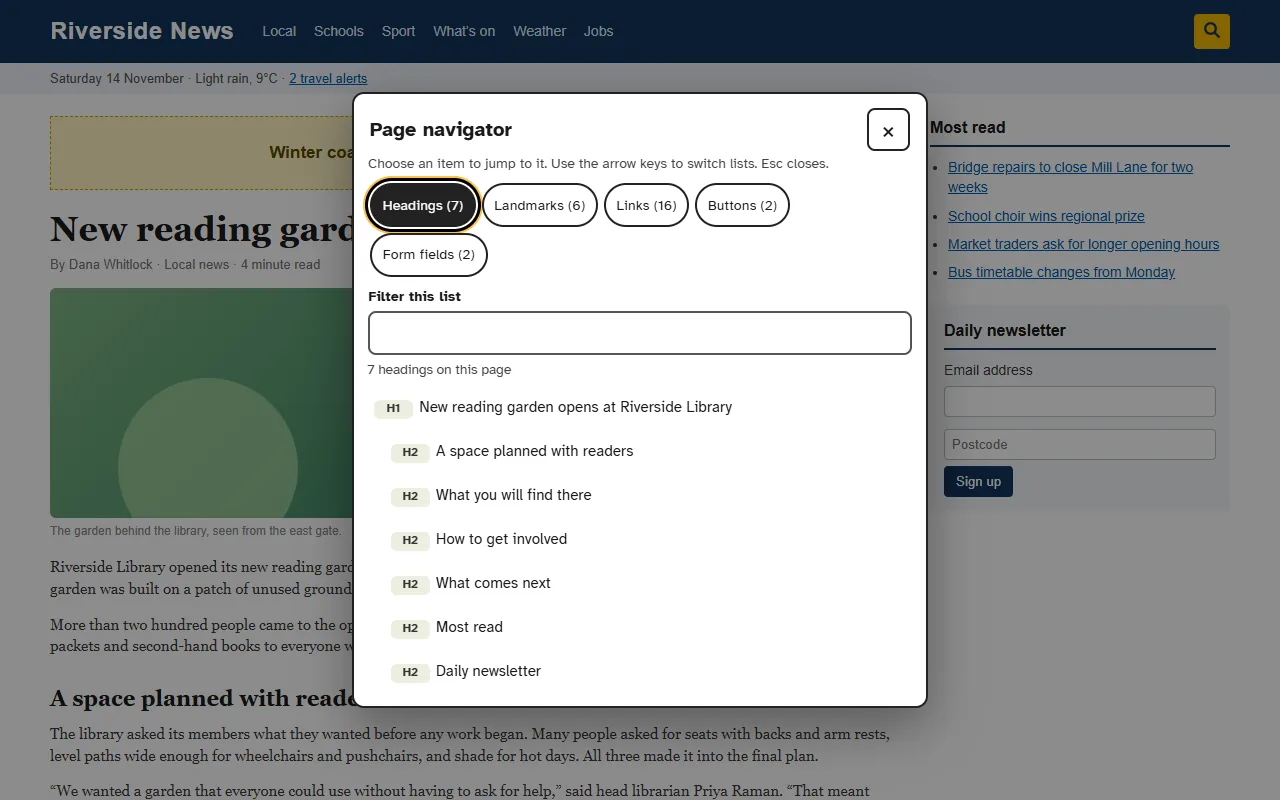
The page navigator 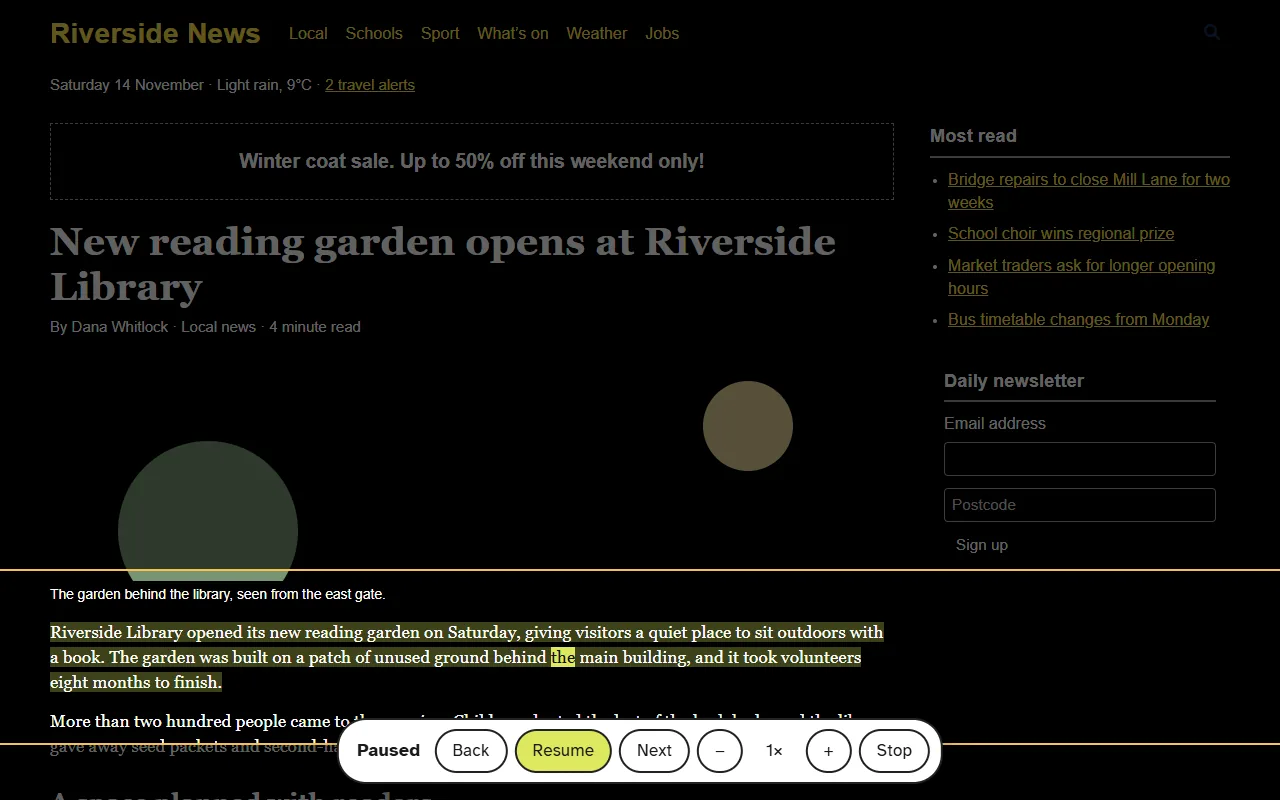
High contrast and line focus
Works alongside your screen reader
CoreA11y Reader does not replace NVDA, JAWS or VoiceOver. When you first install it, it asks whether you use a screen reader. If you do, its own read aloud is switched off, so the two voices never talk over each other.
The page navigator, the jump shortcuts and Report a barrier all work with your screen reader.
Keyboard shortcuts
| Keys | What it does |
|---|---|
| Alt+Shift+C | Open settings |
| Alt+Shift+G | Page navigator |
| Alt+Shift+S | Start or stop read aloud |
| Alt+Shift+H | Jump to the next heading |
On a Mac, use Option instead of Alt. You can change every shortcut on your browser’s extension shortcuts page.
Your privacy
Nothing is collected
What you read, type or visit is never collected or sent to us.
It all stays on your device
Your settings are saved by your browser. Pages and PDFs are read on your own computer.
No account, no ads, no AI
There is nothing to sign up for, and all its code is inside the extension.
Read the full details in our privacy policy.
What it does not do
CoreA11y Reader changes how a page looks and sounds for the person using it, on their own device. It does not repair the website, and it does not make a website meet accessibility standards or laws.
Run a website? This is not something to install on your site. If a visitor sends you a message written with CoreA11y Reader, our free guide explains what to do when a visitor reports a barrier.
Try CoreA11y Reader
It is free and takes a few seconds to add. This is an early version, so your feedback shapes what comes next: use “Something not working? Tell us” in the settings panel, or contact us.