CoreA11y / Products / Wix
NewAccessibility for your Wix site
Find what stops disabled visitors using your Wix site, fix the common problems in one click, and get Wix steps for the rest. Add alt text to your product and blog images straight from the app. Every change can be undone. No overlay, no widget, no AI guesses.
- Free plan, no card
- On the Wix App Market
- 7-day free trial on paid plans
01 / Your report
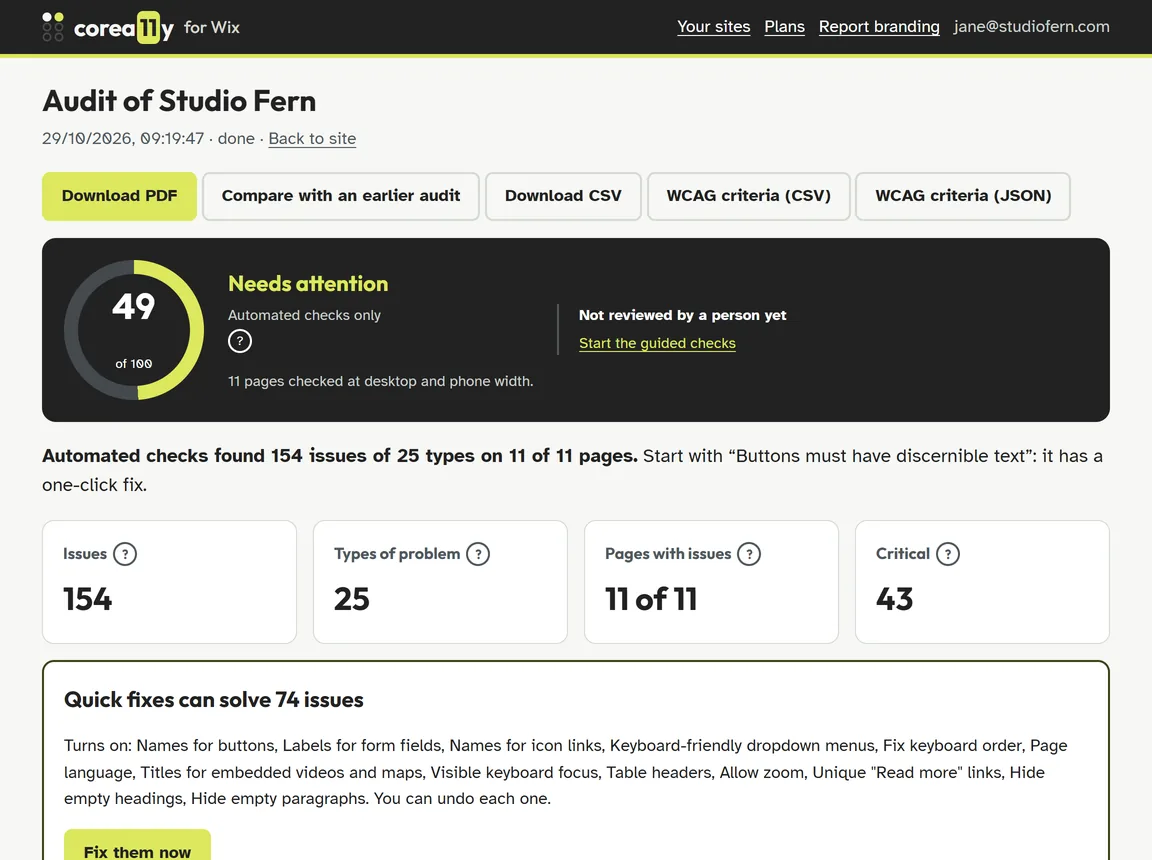
See every problem on your Wix site, in plain language
CoreA11y checks your pages against WCAG 2.2 AA at desktop and phone width, then tells you what's wrong, who it affects and where to click in Wix to fix it. It also tells you how many problems the quick fixes can solve straight away.
02 / What it does
Find it, see it, fix it
Turn on a fix and CoreA11y applies it to every page of your site through its own script. Wix adds the script when you install the app, so there's no code to paste.
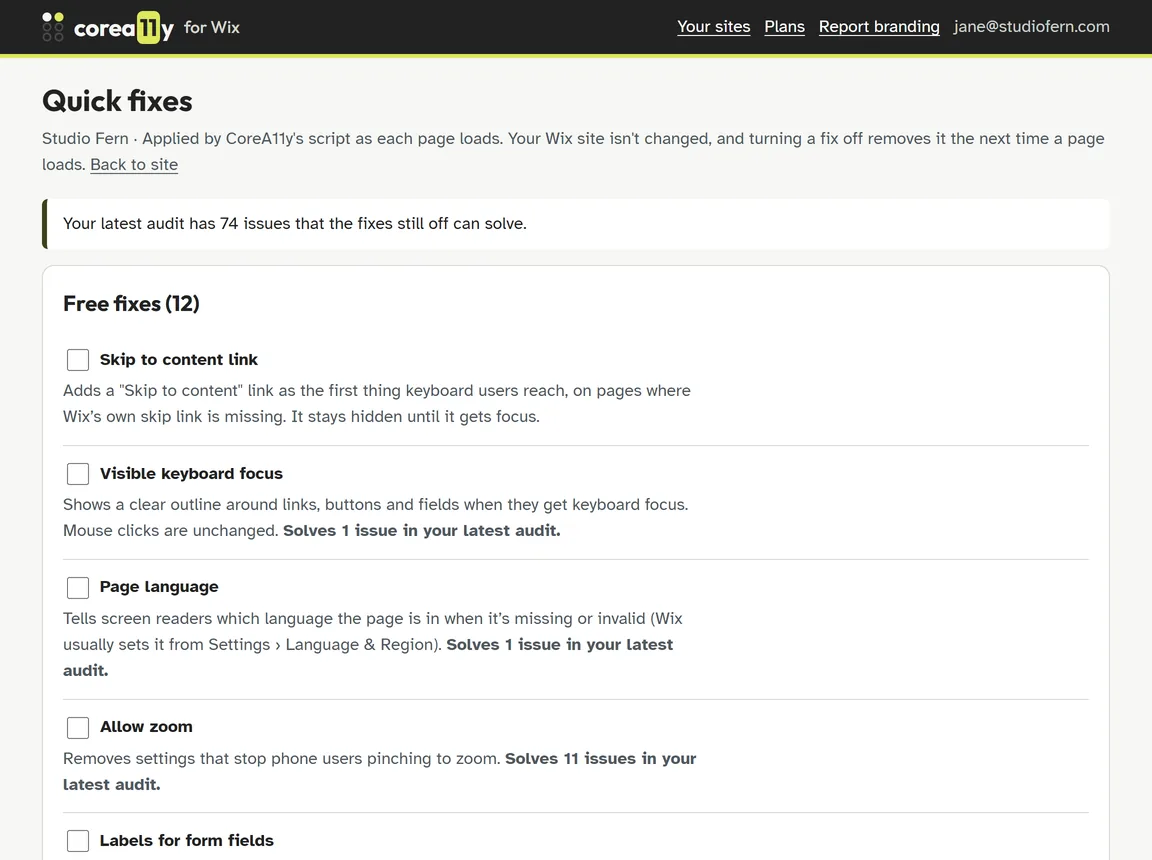
38 quick fixes
Skip links, focus outlines, form labels, button and menu names, page language, zoom and more. 12 are free.
Undo for every fix
Fixes are added as each page loads. Turn one off and it's gone from every page. Pausing or removing the app removes them all.
Alt text saved to Wix
Write alt text for Wix Stores product images and Wix Blog images, and CoreA11y saves it to your site, with undo.
Colour contrast you approve
For text that's too faint, CoreA11y suggests the nearest readable shade. Nothing is recoloured until you say so.
Guided checks
Some things only a person can judge. Short guided checks walk you through them, with a focus-order map and screen reader view.
Reports and statement
PDF reports, before-and-after comparisons, Show on page and an accessibility statement for your site.
03 / Made for Wix shops and blogs
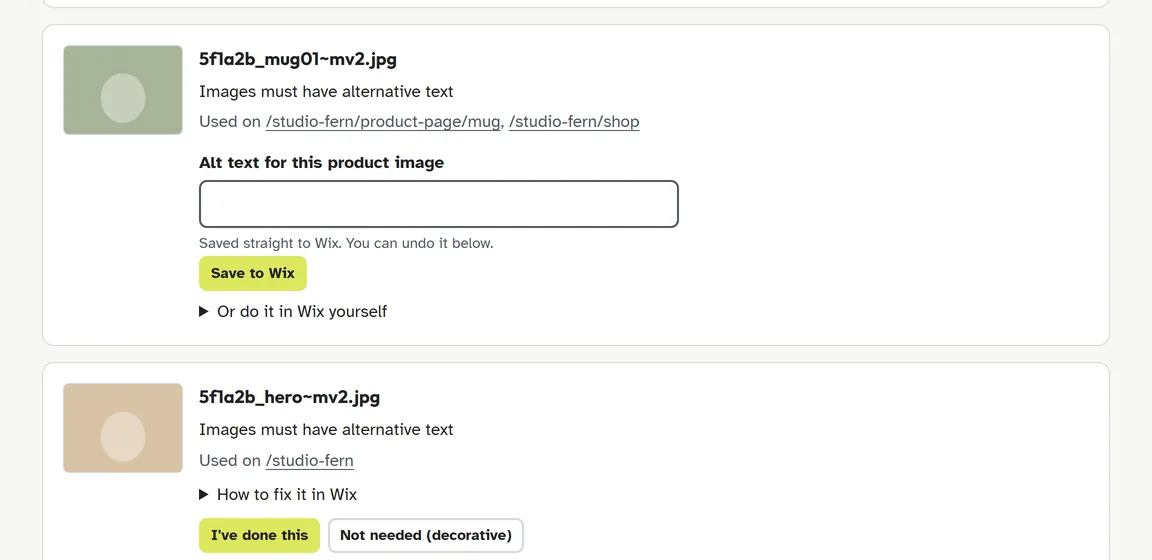
Alt text for every product, without opening each one
Wix uses the product name when an image has no alt text, which rarely describes the photo. CoreA11y lists every product and blog image that needs better alt text. Type a sentence and choose Save to Wix. For images on pages and galleries, which apps can't change, it gives you the steps in the Wix editor. CoreA11y never writes alt text for you: only you know what an image is for.
04 / How to set it up
Four steps, about five minutes
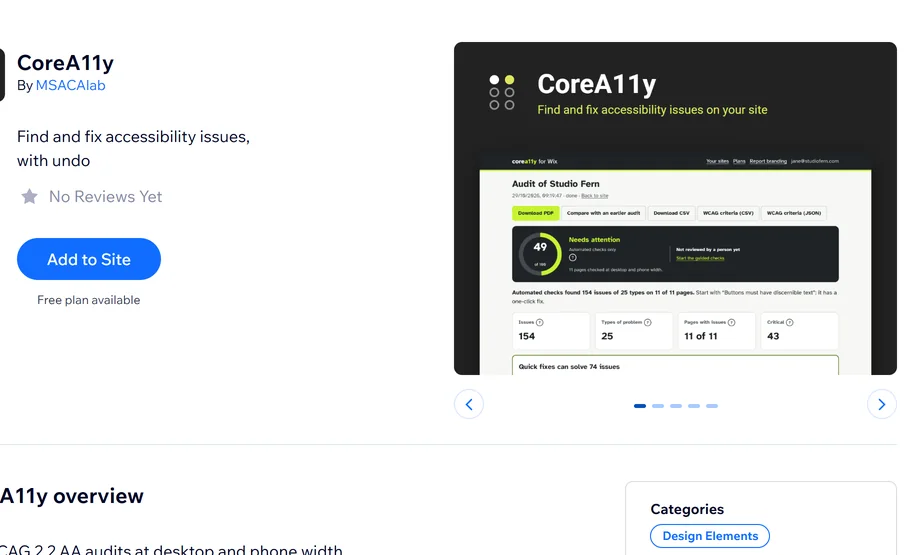
Add it from the App Market
Open CoreA11y on the Wix App Market, choose Add to Site, pick your site and agree to the permissions.
Open it in your dashboard
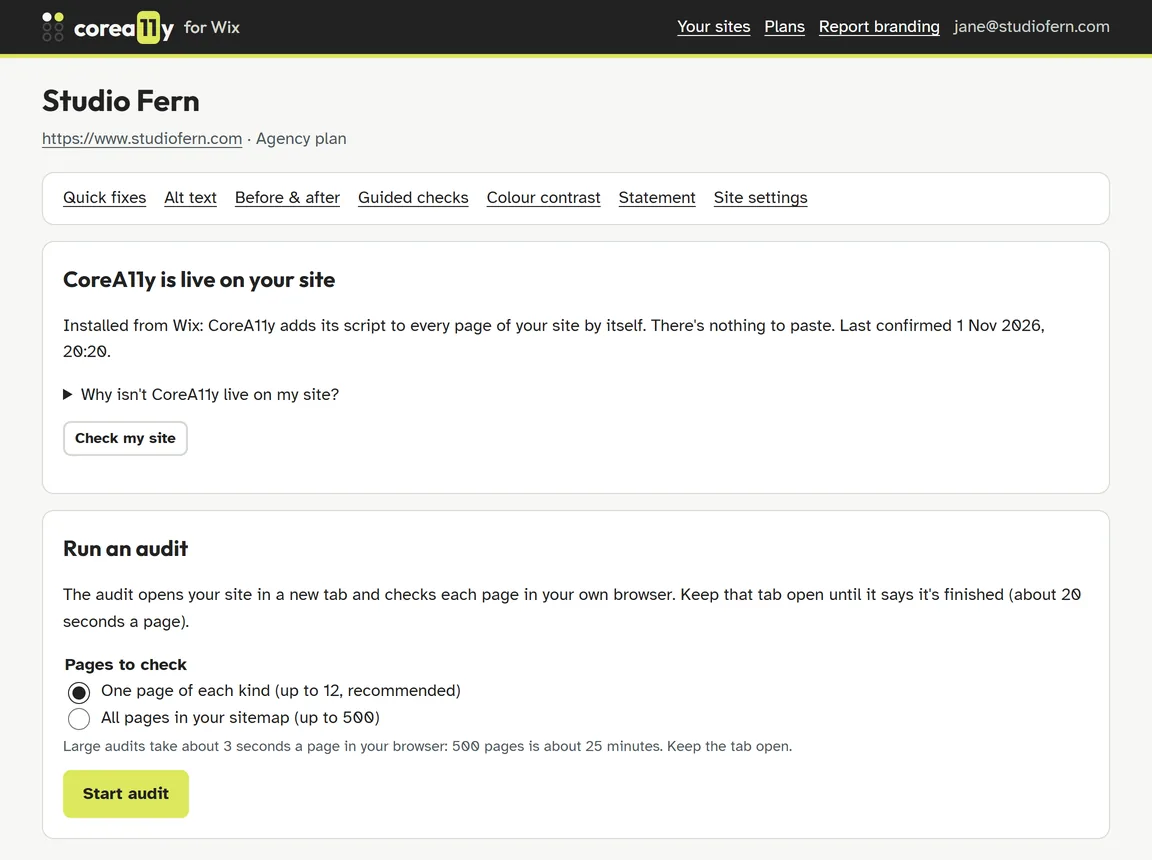
Go to Apps › CoreA11y in your site's dashboard. Wix signs you in, and CoreA11y adds its script to your site by itself.
Run your first audit
Choose Start audit, then Open my site and start. Keep that tab open until it says it's finished, about 20 seconds a page.
Fix and check again
Turn on quick fixes, add alt text and follow the Wix steps for the rest. Run another audit to see what's solved.
What you need: a Wix Premium plan with a connected domain. Wix only runs app scripts on those sites, and CoreA11y's audits and fixes run through its script. You can install it on any site, but the audit won't start until the site is on Premium with a domain.
05 / The full guide
How CoreA11y works, from install to a better site
CoreA11y works differently from most accessibility apps, so here is everything that happens, in order.
Install
Choose Add to Site on the App Market and agree to the permissions: your site's details, Wix Stores and Wix Blog (for alt text) and embedded scripts. CoreA11y then appears in your dashboard under Apps.
Sign in without a password
When you open CoreA11y, Wix confirms you own or manage the site. That's your sign-in: there's no separate account to create. Site owners and admins can open it; other roles can't.
Connect, automatically
CoreA11y asks Wix to add its small script to every page. It then checks the connection and tells you if anything is missing: a site that isn't published, a free wixsite.com address, or a script that was removed (one button puts it back).
Audit in your own browser
CoreA11y reads your sitemap and picks the pages to check: your home page and one of each kind (product, shop, post, blog, cart and more), or every page, up to your plan's limit, on paid plans. Your site opens in a new tab and CoreA11y checks each page at desktop and phone width. Your visitors see nothing.
Read your report
A score, every issue grouped by type and ranked by who it affects, and the steps to fix each one in the Wix Editor or Wix Studio. Show on page highlights each problem on your real site. Download it as a PDF.
Fix: three ways
Quick fixes: tick a box and it's live on every page, untick to undo. Alt text: type it once and save it to your Wix product or blog post, with undo. Everything else: clear steps for the Wix editor, and guided checks for things only a person can judge.
Check it worked
Choose Re-check affected pages and CoreA11y re-tests only the pages your fixes changed. Compare any two audits to see what's solved, and publish an accessibility statement when you're ready.
Stay on top of it
Paid plans watch for new and changed pages each week and check them for you. Upgrade, downgrade or cancel in Wix at any time; if a paid plan ends, the free fixes keep working.
If you remove the app: its script stops doing anything straight away, so every quick fix is gone from your site. Alt text you saved stays in your products and posts, because it's now part of your content. Your reports are deleted after 30 days, and reinstalling before then brings them back.
06 / How it's different
Not a widget. Not just a checklist.
Most accessibility apps on Wix add a toolbar for visitors to adjust the page. CoreA11y doesn't: it finds the problems in your site and fixes them in the code your visitors already get, so there's nothing extra for them to learn. Here's how it compares.
| What you get | Accessibility widgets | Wix's Accessibility Wizard | CoreA11y |
|---|---|---|---|
| Finds problems on your pages | Varies | Yes, in the editor | Yes, on your live site at desktop and phone width |
| Toolbar or button for visitors | Yes | No | No |
| Fixes applied for you | Often automatic, often with AI | No, you fix by hand | Quick fixes you choose, each with undo |
| Alt text saved to products and blog posts | Usually AI-generated on the page | You edit each image | You write it, CoreA11y saves it to Wix |
| PDF report, before and after, statement | Varies | No | Yes |
| Weekly re-check of new pages | Varies | No | Paid plans |
| Many sites: copy fixes, white-label reports | Varies | No | Pro Business and Agency |
Already using Wix's Accessibility Wizard? Keep it. It checks things inside the editor; CoreA11y checks the published site your visitors actually use, and fixes what it can.
07 / Plans
Start free. Upgrade when it saves you time.
Every plan shows you every problem. Paid plans add more pages and more fixes. Plans are per site and billed by Wix.
-
Basic
Free
No card needed
See where your site stands.
Add to your Wix site- Audits of up to 12 pages, one of each kind
- Every check, at desktop and phone width
- Full report with Wix how-to-fix steps
- 12 quick fixes, each with undo
- Alt text for product and blog images, saved to Wix
- PDF report, accessibility statement and guided checks
-
Pro Personal
$179/ year
or $19 a month
For owners who want the work done faster.
Start a free trial- Everything in Basic
- Audits of up to 50 pages
- 26 more quick fixes for links, buttons, menus, forms and page structure
- Colour contrast fixes you approve
- 4 advanced checks and a WCAG criteria table in the PDF
-
Pro Business
Most popular$329/ year
or $35 a month
For bigger sites and shops.
Start a free trial- Everything in Pro Personal
- Audits of up to 250 pages
- CSV export, and WCAG criteria as CSV and JSON
- Copy fixes to your other Wix sites
-
Agency
$649/ year
or $69 a month
For designers and agencies reporting to clients.
Start a free trial- Everything in Pro Business
- Audits of every page, up to 500
- White-label PDF reports with your logo
- Priority support
Prices in USD, per site. Wix may show them in your local currency. Paid plans start with a 7-day free trial. Payments, cancellation and refunds are handled by Wix.
08 / Done for you
Rather have experts do it?
Our accessibility team audits Wix sites by hand. You get a summary, a detailed report and a fix pack within 24 hours, and we can make the fixes for you.
- Expert audit from $89
- Report within 24 hours
- Fixes by our team from $249
Questions
Which Wix sites does it work with?
Any Wix or Wix Studio site on a Premium plan with a connected domain. Wix only runs app scripts on those sites, and CoreA11y's audits and fixes need its script. Alt text saving works with Wix Stores and Wix Blog.
Is it an overlay or a toolbar?
No. There's no widget for your visitors. CoreA11y fixes the code they get and tells you clearly what needs a person.
Does CoreA11y write alt text with AI?
No. CoreA11y doesn't use AI, and it never writes alt text for you: not from file names, not from AI. It lists the images that need alt text and you write it. For Wix Stores and Wix Blog images, CoreA11y saves your text to Wix, with undo. Only you know what an image is for.
Does it change my Wix site?
Quick fixes don't: they're applied by CoreA11y's script as each page loads, and turning one off removes it. Alt text is different: it's written to your product or blog post, but only when you choose Save to Wix, and you can undo each save from the app.
Will it make my site fully compliant?
No tool can promise that. Automated checks find many problems but not all of them, so CoreA11y also gives you guided checks for the things a person has to judge, and says clearly which ones you've reviewed.
Does it track my visitors?
No. The script sets no cookies and sends nothing about your visitors to us. See the privacy policy.
I manage lots of Wix sites. How does that work?
Add CoreA11y to each site from the App Market. Each site has its own plan, so you can keep most sites on the free plan and upgrade only the ones that need more. On Pro Business and Agency you can copy your quick fixes to your other sites on those plans in one click, and undo the whole copy.
How do I cancel?
In your Wix dashboard, under Settings › Billing & Payments › Subscriptions. Cancel during the 7-day trial and you aren't charged. When a paid plan ends, the site goes back to the free plan and keeps its reports.
See what your visitors run into
Free plan, no card. Your first audit takes a few minutes.